Rise Institute

November 2022

how to become a data scientist

How to Becoming a Data Scientist

You’ve probably heard that data science is one of the most in-demand careers right now. And if you’re like many people, you’re wondering how to become a data scientist yourself.The good news is that it’s not as difficult as you might think. With the right tools and resources, anyone can make the switch to this rewarding and lucrative career.In this guide, we’ll walk you through every step of the process, from choosing a data science program to landing your first job in the field. So whether you’re just starting out or you’re ready to make the jump to a career in data science, this guide will have you covered. What Skills Do You Need to Be a Data Scientist? In order to be a data scientist, you need to have a few key skills under your belt.The first is an understanding of statistics and probability. This will allow you to make sense of the data you’re working with and draw accurate conclusions from it.Next, you need to be proficient in at least one programming language. R and Python are the most popular choices among data scientists, but there are others you can learn as well. This will allow you to work with data in a more efficient way.Lastly, you need strong analytical skills. This includes both quantitative and qualitative analysis, as well as the ability to think creatively to solve problems. How Can You Learn Data Science? You’re probably wondering how you can learn data science. After all, it’s not like you can just take a data science class in high school or college (at least, not yet).Here are a few ways you can start learning data science:– Read books and articles on data science. A quick Google search will give you a ton of resources to get started.– Watch YouTube videos on data science. Again, a quick search will give you a ton of options.– Take an online course on data science. Coursera and Udacity both offer great options.– Do a coding Bootcamp. This is a more intensive option, but if you’re serious about becoming a data scientist, this could be a great way to get started. Which Industries Are Demand for Data Scientists? Data scientists are in high demand across a wide range of industries. Here are a few examples:Technology:  Data scientists are needed to develop new software, work on artificial intelligence and machine learning projects, and find ways to improve existing systems.Banking and finance:  Data scientists are used to developing new financial products, identify trends, and prevent fraud.Retail: Data scientists are used to personalizing shopping experiences, predict consumer behavior, and optimize stock levels.Healthcare:  Data scientists are used to developing new treatments and drugs, understanding disease trends, and improving patient outcomes.Manufacturing:  Data scientists are used to optimizing production processes, reduce waste, and improve quality control. What Are the Job Prospects for Data Scientists? The job prospects for data scientists are excellent. In fact, the demand for data scientists is expected to grow by 28% from 2016 to 2026, which is much faster than the average for all occupations.There are a number of reasons for this demand. First, there is a growing need for organizations to make data-driven decisions. Second, the amount of data that is being generated is increasing exponentially. And third, advances in technology are making it possible to analyze this data more effectively.As a result, data scientists are in high demand and are well-paid. The median salary for a data scientist was $110,000 in 2017, and the top 10% earned more than $166,000. Data Scientist Success Stories One of the best things you can do to learn more about becoming a data scientist is to read success stories from people who have already made the transition. Not only will this help you better understand what the role entails, but you’ll also get a first-hand look at what it takes to succeed in this field.Some of the most popular data scientist success stories come from people who have transitioned from other careers, like software engineering or finance. These stories can be particularly helpful if you’re trying to figure out how to make the switch yourself.Reading data scientist success stories is a great way to learn more about the field and get inspired to pursue your own data science career. Conclusion You now know what it takes to become a data scientist. While it will undoubtedly take some hard work, if you follow the steps outlined in this guide, you’ll be well on your way to becoming a data science pro. So what are you waiting for? Get started today!

How to Becoming a Data Scientist Read More »
How to Protect Yourself From Cybersecurity Threats

Introduction Cybersecurity threats are on the rise, and it is more important than ever to protect yourself from them. Hackers are increasingly targeting individual users, as well as businesses, with ransomware, phishing scams, and other attacks.Here are a few tips to help you stay safe online:1. Use a strong password and change it regularly.2. Install antivirus software and keep it up to date.3. Be careful what you click on and never open attachments or links unless you are sure they are safe.4. Never share your personal information or passwords with anyone.5. Be careful when using public Wi-Fi networks.6. Regularly back up your data so that you can restore it if it is ever hacked or lost.7. Stay informed about the latest cybersecurity threats and how to protect yourself against them. What Is Cybersecurity? Cybersecurity is the practice of protecting electronic information from unauthorized access or theft.This includes data stored on computers, servers, and mobile devices, as well as data transmitted over the internet. Cybersecurity threats can come from a variety of sources, including hackers, viruses, and identity theft.To protect yourself from these threats, you should take steps to secure your data. This includes using strong passwords, encrypting your data, and backing up your files. You should also be aware of phishing scams and other common cyberattacks. The Dangers of Neglecting Cybersecurity If you think cybersecurity threats are something that only affect businesses, you are wrong. Cybercriminals are increasingly targeting individuals, and the consequences can be devastating.If you are the victim of a data breach, your personal information could be exposed. This could lead to identity theft, financial fraud, and a whole host of other problems. You could also be at risk of cyberstalking or cyberbullying.neglecting your cybersecurity is not worth the risk. There are simple steps you can take to protect yourself, such as using strong passwords and being cautious about what you click on. Don’t wait until it’s too late to take action. How to Protect Your Computer From Malware You can protect your computer from malware by using a few simple techniques.First, install an antivirus program and keep it up to date. This will help to protect your computer from the most common types of malware.Second, be careful when opening email attachments and only download files from trusted sources. This will help to prevent accidentally downloading and installing malware on your computer.Third, keep your operating system and software up to date. This will ensure that you have the latest security patches and features that can help to protect your computer from malware.By following these simple tips, you can help to keep your computer safe from malware. Top Tips for Staying Safe Online Now that you know what some of the most common cybersecurity threats are, let’s take a look at some tips for staying safe online.First and foremost, be vigilant about the information you share online. Be careful about what you post on social media and make sure to keep your privacy settings updated.Secondly, make sure to use strong passwords for all of your online accounts. Avoid using easily guessed words or phrases, and use a mix of letters, numbers, and special characters.Finally, keep your computer and other devices up-to-date with the latest security patches and updates. By taking these precautions, you can help protect yourself from becoming a victim of a cybersecurity attack. How to Create Strong Passwords Creating strong passwords is one of the most important things you can do to protect yourself from cybersecurity threats. Here are some tips for creating strong passwords:– Use a mix of letters, numbers, and symbols– Avoid using easily guessed words like “password” or your name– Make your password at least 8 characters long– Use a different password for each online account– Change your passwords regularly What Is the Future of Cybersecurity? As the world becomes increasingly connected, cybersecurity will become more and more important. We can’t predict the future, but we can take steps to protect ourselves from the threats that exist today.Here are some things you can do to protect yourself from cybersecurity threats:* Keep your software and security systems up to date.* Be careful about what you click on and don’t download anything from untrustworthy sources.* Don’t use the same password for all of your accounts.* Keep your personal information private.By taking these steps, you’ll be better protected against the threats that exist today and in the future. FAQs About Cybersecurity Q: What is cybersecurity? A. Cybersecurity is the practice of protecting electronic information from unauthorized access or theft. Q: Why do I need to worry about cybersecurity? A: Because the world is increasingly interconnected, cybersecurity threats can have serious consequences for individuals, businesses, and governments. Q: What are some common cybersecurity threats? A: Common cybersecurity threats include viruses, malware, phishing attacks, and SQL injections. Q: How can I protect myself from cybersecurity threats? A: There are a number of things you can do to protect yourself from cybersecurity threats, including using strong passwords, installing security software, and avoiding suspicious emails. Conclusion There’s no one-size-fits-all solution to cybersecurity, but there are some basic steps you can take to protect yourself from the most common threats. Keep your software and operating system up to date, use strong passwords, and be careful about what you click on and download.If you’re concerned about a specific threat, do some research and see what steps you can take to protect yourself. And if you think you’ve been hacked, don’t panic – there are steps you can take to recover your data and secure your system.Cybersecurity is an important issue, and it’s only going to become more important in the years to come. Take some time to educate yourself about the threats out there and how you can protect yourself. It could save you a lot of headaches down the road.

How to Protect Yourself From Cybersecurity Threats Read More »

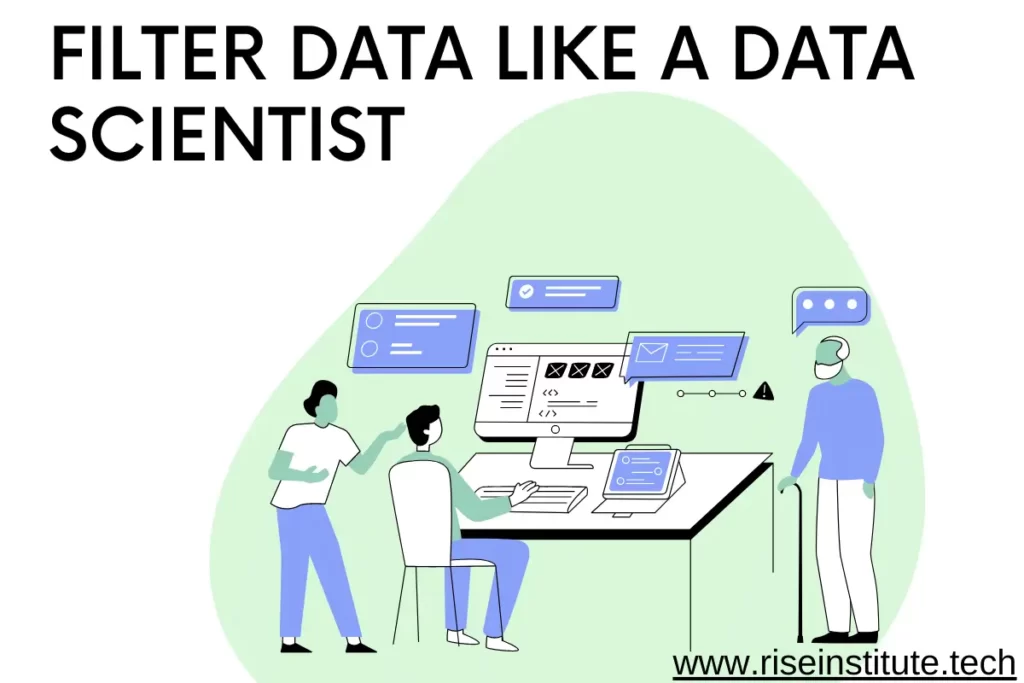
How To Filter Data Like A Data Scientist

How to Filter Data Like a Data Scientist

Introduction Imagine that you’re a data scientist. You’re responsible for sifting through mountains of data in order to find the needle in the haystack. How do you go about doing that?One of the techniques you might use is filtering data. This means narrowing down the information to just the data that you need. By doing this, you can reduce the amount of time it takes to find what you’re looking for.But how do you filter data like a data scientist? In this article, we’ll take a look at the process and some of the best ways to do it. What Is Data Filtering? At its most basic, data filtering is the process of identifying and removing inaccurate data from a dataset. Data filtering is a critical part of data preparation, which is the process of getting data ready for analysis. There are a few different ways to filter data, but the most common method is to use a software program to identify and remove outliers, which are data points that don’t fit within the rest of the dataset. Other methods of data filtering include manual inspection and removal of data points, as well as using algorithms to identify and remove incorrect data. Data filtering is an important step in data analysis because it ensures that the results of the analysis are accurate. Without filtering, incorrect data can lead to inaccurate results, which can then lead to incorrect conclusions. Why we should Filter Data? Filter data to find the signal in the noise. Too much data can be overwhelming and make it difficult to find the information you need. When you filter data, you can focus on a specific subset of data that is relevant to your research question or business problem. This helps you save time and make better decisions. Data filtering is a process of selecting a subset of data from a larger dataset. There are many reasons why you would want to filter data. For example, you might want to: Find specific records that meet certain criteria Remove invalid or incorrect data Identify outliers Compare two or more datasets How to Filter Data Now that we know what filtering data is, let’s talk about how to do it. There are a few different ways you can go about it, but the most common method is to use a software program like Excel or SPSS. To filter data in Excel, all you have to do is select the data you want to filter and then click on the “Filter” button. A drop-down menu will appear, and from there you can choose the criteria you want to use to filter the data. For example, you could filter by value, color, or even by date. Once you’ve selected the criteria you want to use, the data will be filtered and you’ll be able to see only the results that meet your criteria. Pretty neat, right? If you’re using SPSS, the process is a bit different. First, you’ll need to open up the “Variable View” window. To do this, go to “View” and then select “Variable View.” Once the “Variable View” window is open, you’ll see a list of all the variables in your dataset. To filter by value, simply click on the variable you want to filter and then select “Filter.” Again, a drop-down menu will appear and from there you can choose the criteria you want to use. Once you’ve made your selection, click on “OK” and the data will be filtered. The Different Types of Data Filters There are a few different types of data filters you can use, depending on your needs. The most common ones are: Range filters: These let you specify a range of values that you want to include or exclude. For example, you could use a range filter to only look at data from 2019. Wildcard filters: These let you include or exclude specific values. For example, you could use a wildcard filter to only look at data that includes the word “data”. Logical filters: These let you combine multiple filters together. For example, you could use a logical filter to only look at data that includes the word “data” and is from 2019.To choose the right filter for your needs, think about what kind of data you want to include or exclude, and then pick the filter that will let you do that. How to Choose the Right Data Filter Choosing the right data filter depends on your specific needs and what you’re trying to achieve. There are a few different types of filters, each with their own benefits: Low pass filters: these remove high frequency noise from your data and are often used to smooth data or remove outliers. High pass filters: these remove low frequency noise from your data and are often used to sharpen images or make data more crisp. Band pass filters: these remove both high and low frequency noise from your data, and are often used to isolate specific signals. To choose the right filter, you need to understand the properties of your data and what you want to achieve with it. If you’re not sure, you can always try out a few different filters to see which one gives you the best results. Tips for Filtering Data Like a Pro Now that you know the basics of filtering data, let’s dive into some more advanced tips that will help you filter data like a pro. 1. Use multiple filters: When you’re looking at a lot of data, it can be helpful to use multiple filters to narrow down your results. This way, you can look at different aspects of the data and get a more well-rounded picture. 2. Be specific: The more specific you are with your filters, the better results you’ll get. For example, if you’re looking for data on customer purchases, you might want to specify the country, state, city, or even zip code. This will help you get more accurate results. 3. Use

How to Filter Data Like a Data Scientist Read More »

Object Storage in the Cloud 1

Object Storage in the Cloud: An Introduction

Introduction Object storage, or Object-Based Storage (OBS), is a storage architecture that stores and manages data as objects, rather than as files. This can be a bit confusing, so let’s take a closer look at what that means. In a traditional file-based system, each file is stored in a predefined location on the server. With object storage, files are no longer confined to specific folders or directories. Instead, they are stored as individual objects and can be accessed from any location in the system.This has a lot of benefits for businesses, including scalability and flexibility. But like everything else in life, there are pros and cons to consider before making a decision about whether or not to move to an object storage system. In this article, we’ll take a closer look at the pros and cons of object storage and help you decide if it’s the right solution for your business. What Is Object Storage? Object storage is a type of storage that’s used to store digital assets. These assets can include anything from photos and videos to documents and spreadsheets.The best thing about object storage is that it’s completely scalable. You can add more storage whenever you need it, and you only pay for the storage you use. This makes it a great option for businesses that are looking to grow quickly.Another thing that makes object storage so great is its security features. The data is stored in multiple locations, which means it’s less likely to be lost if there’s a server failure. And access is controlled through user-level security, so you can be sure that only the people you want to have access to your data will be able to see it. Why Use Object Storage in the Cloud? easy to set up and use. But there are different types of cloud storage, and one of the most popular is object storage.So what is object storage? In a nutshell, it’s a way to store your data as objects. And what does that mean for you? It means that you can store any type of data in any format, and you can access it from anywhere in the world. Plus, since the data is stored as objects, it’s easy to manage and keep track of.If you’re looking for a reliable, versatile way to store your data, then object storage in the cloud is definitely worth considering. How Does Object Storage Work in the Cloud? You may be wondering how object storage works in the cloud. Well, let’s take a look at an example.Say you want to store some pictures on the internet. You would first need to upload them to a cloud storage provider, like Amazon S3, Microsoft Azure, or Google Cloud Storage. Once they’re uploaded, the provider will assign them a unique URL. This URL is how you access your files, from anywhere in the world, using a web browser or an app.Basically, object storage allows you to store data as objects, which are then stored in repositories called buckets. You can access these buckets and objects from anywhere in the world, and you can share them with other users if you want.One of the key benefits of object storage is that it’s scalable, which means you can add or remove capacity as needed. And because it’s based on the cloud, you can access your data from any device, anywhere in the world. The best thing about object storage is that you can access your files anytime, anywhere. Plus, there’s no need to worry about losing them—cloud providers keep multiple copies of your data for added security. The Benefits of Using Object Storage in the Cloud So what are the benefits of using object storage in the cloud? Well, for starters, it’s a great way to store your data. Your data is stored in a secure location and can be accessed from anywhere in the world.When it comes to storage, the cloud has a lot to offer. For businesses, the key benefits of using object storage in the cloud are:1. You can access your data from anywhere in the world.2. Storage is scalable, so you can increase or decrease your storage as needed.3. The cloud is cost-effective, so you can save money on storage costs.4. Cloud storage is secure, so you can rest assured that your data is safe and sound.So if you’re looking for a way to store your data securely and access it quickly and easily, object storage in the cloud is the perfect solution. What Are Some Common Use Cases for Object Storage in the Cloud? When it comes to object storage in the cloud, there are all sorts of possibilities. You can use it for anything from a customer relationship management (CRM) system to a video hosting platform.But some of the most common use cases are data backup and archive, file sharing and collaboration, and content management. Let’s take a closer look at each of these.Data backup and archive is probably one of the most important applications for object storage in the cloud. By backing up your data, you’re protecting yourself against accidental deletion or damage, as well as against ransomware attacks. And by archiving your data, you’re freeing up space on your local storage devices.File sharing and collaboration is another big one. With object storage in the cloud, you can easily share files with colleagues or customers and let them collaborate on documents in real time. This can save you a lot of time and hassle.And finally, content management. This is where object storage really shines. With its ability to handle large files and multiple versions, it’s perfect for managing digital assets like photos, videos, and e-books. The Drawbacks of Using Object Storage in the Cloud You may be wondering about the drawbacks of using object storage in the cloud. Aren’t there any?Well, there are a few things to keep in mind. First of all, object storage can be expensive, depending on the provider you choose. And if you’re not careful, you could end up with a

Object Storage in the Cloud: An Introduction Read More »

Private Cloud The Ultimate Guide 1

Private Cloud: The Ultimate Guide

Introduction You’ve probably heard a lot about the cloud in recent years. But what is it, and more importantly, what does it mean for your business?The cloud is a term that’s used to describe a variety of different things, but generally speaking, it refers to the use of remote servers to store and access data. This can be done through the use of public clouds, which are managed by third-party providers, or private clouds, which are managed by your own organization.The benefits of using a private cloud are many, and include cost savings, improved security, and more control over your data. But making the switch to a private cloud can be daunting, especially if you’re not familiar with the technology.In this guide, we’ll walk you through everything you need to know about private clouds, including what they are, how they work, and why they might be right for your business. What Is a Private Cloud? Do you want to know what a private cloud is? It’s a cloud that’s controlled by your company, as opposed to a public cloud, which is controlled by a third party.That might sound confusing, but it’s really not. Let me break it down for you. With a public cloud, your data is stored on servers that are managed by someone else. This might be a good option if you don’t want to deal with the hassle of setting up and managing your own infrastructure.But with a private cloud, your data is stored on servers that are managed by your team. This gives you more control over your environment and makes it easier to keep your data safe and secure. Advantages of a Private Cloud When it comes to the cloud, there are a few different options to choose from. You can go with a public cloud, a private cloud, or a hybrid cloud. Each one has its own unique set of advantages and disadvantages.Public clouds are great for companies that want to outsource their IT infrastructure. They’re also perfect for companies that are looking for a pay-as-you-go model. But there are some risks associated with using a public cloud, like data security and privacy.Private clouds, on the other hand, are perfect for companies that want to keep their data and applications in-house. They offer more control and flexibility than public clouds, and they’re also more secure. Plus, private clouds can be customized to meet the specific needs of your business.Hybrid clouds are a combination of public and private clouds, which gives you the best of both worlds. You get the scalability and flexibility of a public cloud, along with the security and control of a private cloud. Disadvantages of a Private Cloud So you’re thinking about making the switch to a private cloud. That’s great! There are a lot of advantages to be had, but there are also a few disadvantages you should be aware of.First of all, setting up your own private cloud is going to require a lot of time and effort on your part. You’ll need to invest in the right hardware and software, and you’ll need to make sure you have the technical expertise to manage it all.And if something goes wrong if your cloud server crashes, for example you’re the one who’s going to be responsible for fixing it. There’s no one else to blame.So is a private cloud right for you? Only you can answer that question. But it’s important to weigh the pros and cons before making a decision. How to Set Up a Private Cloud So you want to set up a private cloud? It’s not as hard as you might think. In fact, it’s a lot easier than setting up a public cloud.All you need is some dedicated hardware and a BitTorrent client. The hardware can be anything from a few old laptops to a custom-built server farm. And the BitTorrent client can be something as simple as uTorrent or Transmission.Once you have the hardware and the client set up, it’s just a matter of downloading the right files and configuring your settings. There are plenty of step-by-step guides out there, so you shouldn’t have any trouble getting started. Services Offered by a Private Cloud A private cloud is a great way to get all the benefits of the cloud without sacrificing security or control. When you work with a private cloud provider, you get to choose the services you want, and you can be sure that your data is always safe.The providers we work with offer a wide range of services, including:-Virtual servers-Storage-Application hosting-Database hosting-Email hosting Why Choose GCI for Your Private Cloud Needs? You may be wondering why you should choose GCI for your private cloud needs. We can understand why you might be hesitant, what with all the options out there. But we think we can offer you something that no one else can.For starters, our team has years of experience in the industry, so we know what we’re doing. Plus, we’re always up-to-date on the latest trends and technologies, which means we can provide you with the best possible service. We’re also fully compliant with all of the latest security standards, so you can rest assured that your data is safe with us.But our biggest selling point? We’re affordable. We know that budget is a concern for many businesses, and that’s why we offer competitive pricing that won’t break the bank. So if you’re looking for a private cloud provider that can offer you quality service and amazing value, GCI is the company for you. Conclusion There’s a lot to think about when you’re considering a private cloud, but hopefully this guide has given you a good starting point. Private clouds can be a great way to improve security and performance, but they’re not right for everyone. It’s important to weigh the pros and cons carefully before making a decision.If you’re still not sure if a private cloud is right for you, talk to a cloud expert. They can help you understand the pros and cons in more detail

Private Cloud: The Ultimate Guide Read More »

[contact-form-7 id="d95d443" title="Rise Contact Form"]