Rise Institute

Author name: Rise Institute

I am Ashish Barde, Director of VisionRise Technosoft Private Limited, Founder of Rise Institute.

Started-With-Automation-A-Beginner's-Guide-

Getting Started With Automation: A Beginner’s Guide

Introduction Are you curious about automation but don’t know where to start? You’re not alone. Automation is a big topic, and it can be intimidating to try to figure out how to get started on your own. That’s why we’ve put together this beginner’s guide to automation.In this article, we’ll introduce you to the basics of automation and show you how to get started using a simple automation framework. We’ll also provide a few tips for staying organized and keeping track of your progress.So what are you waiting for? Let’s get started! What Is an Automation Framework? An automation framework is a set of libraries and tools that allow you to automate tasks on your computer. It’s basically a way to speed up your work and make your life easier.There are all sorts of automation frameworks out there, but the most popular one is probably Ruby. That’s the one we’ll be focusing on in this guide. Why Use an Automation Framework? Okay, so you’re convinced that automation is something you need in your business. But where do you start?Well, the first step is to choose an automation framework. What’s that? It’s basically a set of tools and guidelines that will help you get started with automation and make sure everything is working smoothly.There are a lot of different frameworks out there, but they all have the same basic goal: to make automation easier for you. choosing the right one for your business is essential, so do your research and find one that fits your needs. How to Get Started With Automation You’re ready to get started with automation. Excellent! But where do you begin?Well, the best way to get started is to choose a simple task that you do on a regular basis. Something that’s repetitive and takes up a lot of your time. Once you’ve identified the task, you can begin to think about ways you can automate it.There are a number of different automation tools available, so it’s important to choose one that’s right for you. If you’re not sure where to start, I’d recommend checking out Zapier. It’s a tool that allows you to easily connect different apps and automate tasks.Once you’ve chosen your tool, it’s time to get started! The best way to learn is by diving in and giving it a try. Don’t be afraid to make mistakes  that’s how you learn. Just be sure to keep track of what you’re doing so you can refine your process over time. The Different Types of Automation Frameworks So, you want to get started with automation? Excellent choice! There are a few different types of automation frameworks to choose from, and the one you choose will depend on your specific needs.Let’s take a closer look at the three main types of automation frameworks: task-based, rule-based, and data-driven.Task-based automation frameworks are great for automating simple tasks. All you need to do is specify what you want to be automated and the framework will take care of the rest.Rule-based automation frameworks are a little more complex, but they’re perfect for automating complex processes. You create a set of rules that dictate how the process should work, and the framework takes care of executing them.Data-driven automation frameworks are the most complex type, but they’re also the most powerful. With a data-driven framework, you can automate any process by feeding it data from a variety of sources. Which Automation Framework Is Right for Me? So, you’re thinking about automating your business processes? That’s a great decision! But now the question is, which automation framework is right for you?There are a few different options out there, but each one has its own advantages and disadvantages. Here’s a quick rundown of the most popular frameworks:Process Automation: This is a good option if you’re looking to automate simple tasks. It’s easy to use and doesn’t require a lot of technical expertise.Robotic Process Automation: RPA is perfect for automating complex tasks that involve a lot of data entry. It’s also great for automating tasks that are time-consuming or repetitive.Business Process Management: BPM is perfect for businesses that need to manage their processes effectively. It’s more complex than other frameworks, but it offers a lot of flexibility and control.So, which framework is right for you? The best way to decide is to think about what you want to achieve with automation. Once you’ve determined that, you can start narrowing down your options. How to Use an Automation Framework So, you want to start automating your business processes? Excellent decision! Automation can save you a ton of time and money. But where do you start?Well, the first step is to choose an automation framework. This is the foundation of your automation project, and it’s important to choose one that’s suited to your needs. There are a few different options available, so take some time to research the different frameworks and see which one is right for you.Once you’ve chosen a framework, the next step is to start building your automation scripts. Don’t try to do everything at once take it one step at a time and don’t be afraid to ask for help if you need it. With a little bit of patience and some hard work, you’ll be able to automate your business processes and see amazing results. Conclusion So there you have it a beginner’s guide to getting started with automation. If you’re interested in learning more about automation and how it can benefit your business or career, there are plenty of resources out there to help you get started.The best way to learn is by doing, so don’t be afraid to experiment and play around with different automation tools. And if you get stuck, there are plenty of people who would be happy to help you out.So what are you waiting for? Start exploring and see what automation can do for you. Contact Us

Getting Started With Automation: A Beginner’s Guide Read More »

Types-of-Cloud-Computing-and-Their-Benefits

Types of Cloud Computing and Their Benefits

Introduction Cloud computing is a term that gets thrown around a lot, but do you know what it actually means? And more importantly, do you know how it can benefit your business?There are different types of cloud computing, and each one has its own unique set of benefits. In this article, we’ll explore the different types of cloud computing and explain how they can help you improve your business. We’ll also give you some tips on how to choose the right type of cloud computing for your business. What Is Cloud Computing? Cloud computing is the ability to access information and applications over the Internet. That’s a really simple definition, but it’s a technology that has far-reaching implications.Cloud computing can be used in a variety of ways, but the most common usage is to store data remotely. Instead of having files saved on your computer’s hard drive, they’re uploaded to the cloud, where you can access them from any device with an Internet connection.This can be really useful for businesses, because it means that employees can work from anywhere. All they need is a laptop and an Internet connection, and they can access the company’s files and applications.There are also a number of cloud-based services that can be used for things like word processing and email. So if you’re looking for a way to reduce your dependency on Microsoft Office or Outlook, cloud computing might be the solution for you. The Different Types of Cloud Computing There are three different types of cloud computing: Public, Private, and Hybrid.Public cloud computing is the most popular type and is offered by companies like Amazon and Microsoft. With public cloud computing, your data is stored on servers that are owned by the cloud provider. This makes it a great option for businesses that want to outsource their IT needs.Private cloud computing is a little more expensive, but it’s a great option for businesses that want to keep their data and applications secure. With private cloud computing, your data is stored on servers that are owned by your company. This makes it a great option for businesses that want to keep their data in-house.Hybrid cloud computing is a combination of public and private cloud computing. This makes it a great option for businesses that want the security of private cloud computing and the flexibility of public cloud computing. The Benefits of Cloud Computing When it comes to cloud computing, the benefits are endless. You get to use resources you wouldn’t normally have access to, you can scale up and down as needed, and you’re able to do all of this without having to purchase any hardware or software.Plus, with cloud computing, you don’t have to worry about maintaining any servers. They’re all taken care of for you. All you need is an internet connection and you’re good to go.If you’re not convinced yet, here are a few more benefits to consider:-You can access your data from anywhere in the world-You can collaborate with others in real time-Your files are always backed up The Drawbacks of Cloud Computing You may be wondering what the drawbacks of cloud computing are.Well, the first thing to consider is security. With cloud computing, your data is stored off-site on remote servers, which can be a bit of a security risk. If you’re not comfortable with the idea of your data being out there in the cloud, then this might not be the option for you.Another thing to consider is bandwidth. Cloud computing can be bandwidth-intensive, so if you’re not using a high-speed connection, you might not be able to take advantage of all that the cloud has to offer.And finally, there’s the issue of reliability. What happens if your cloud provider goes out of business? Or experiences a outage? Your data could be inaccessible for a long time, which is definitely not ideal. Which Type of Cloud Computing Is Right for Me? When it comes to cloud computing, there are three main types: private, public, and hybrid. So which one is right for you?Private cloud computing is when the data is stored and accessed by a specific organization. This is a good option if you want to keep your data completely secure and only accessible by certain people.Public cloud computing is when the data is stored and accessed by multiple organizations. This is a good option if you want to share resources and save money.Hybrid cloud computing is when you use a combination of private and public clouds. This is a good option if you want the best of both worlds security and affordability. FAQs on Cloud Computing So you’re curious about cloud computing? Here are some of the most common questions we get about it:What is cloud computing?Cloud computing is the ability to access information and applications over the internet. It’s a way to use technology that makes it easy for you to connect to what you need, when you need it.How does cloud computing work?Cloud computing works by allowing you to access information and applications that are stored on remote servers. This means that you can access them from any device, anywhere in the world, as long as you have an internet connection.What are the benefits of cloud computing?The benefits of cloud computing include cost savings, flexibility, convenience, and scalability. You can save money by using cloud-based applications, because you don’t have to buy and maintain your own hardware. You’re also more flexible because you can access your applications and information from anywhere. And thanks to the convenience of the cloud, you can get work done anytime, anywhere. Finally, cloud computing is scalable, which means that you can easily add or subtract resources depending on your needs. Conclusion Now that you know the different types of cloud computing, it’s time to get started on your journey to becoming a coding pro. Check out our roundup of the best resources to learn to code, and find the perfect data science program to help you take your skills to the next level. Learn Cloud Computing

Types of Cloud Computing and Their Benefits Read More »

Untitled design 10

Introduction to RDS different database services of AWS

In this blog post, I will discuss about different database services of AWS. For customer who are newbie in AWS and want to start microservices in AWS, I suggest you to use RDS as database service. It’s easy to use but there are some limitations for some developers. RDS is the database service of AWS. An RDS database can be used on-premises or in the cloud, and is often referred to as a managed relational database service (RDMS).  The most important function is that it allows you to manage the resources, application types, and security options specific to your choice of database type using Amazon’s web-based management console. You can also use the console to manage multiple databases across multiple availability zones (AZs) in one account What is RDS? RDS is a service that allows you to run relational database applications on the AWS cloud. It provides a platform for your applications that you can use to store and manage your data. RDS gives you the following features: Secure access to data and your applications from anywhere in the world Manage multiple databases from one console Scale out your application workloads as you grow, while keeping costs down Connect with existing on-premises databases via RDS connectors Amazon RDS is a managed SQL database service provided by Amazon Web Services Amazon RDS is a managed SQL database service provided by Amazon Web Services (AWS). It is one of the most popular cloud computing services in the world. The service offers a number of different database services, including MySQL, MariaDB, Oracle Database and PostgreSQL. Amazon RDS can be used to store and run your applications on an AWS infrastructure. This means that you have complete control over your databases and can easily scale up or down as needed. With Amazon RDS you can create a new database from scratch or migrate from another cloud provider. You also have the option to choose between paying for storage in chunks or paying for it all at once (which is called spot pricing). How does it work? The RDS database service is a relational database engine that provides the following features: Data storage includes the ability to store and retrieve data from the cloud. The data can be stored in standard SQL databases or in Amazon’s proprietary NoSQL databases. Security, which includes access control and user authentication services. The security features include multi-factor authentication (MFA), role-based authorization, and encryption capabilities. High availability (HA), which offers automatic failover for users and their applications during planned or unplanned downtimes of a primary AWS service. HA also provides for application-level recovery after failures in other components such as EC2 instances or DynamoDB tables. Performance scalability, which allows customers to increase their throughput by adding more RDS instances or scaling out their queries across multiple instances with native scaling features such as autoscaling groups and auto-scaling policies. RDS gives you the ability to create, operate and scale your MySQL, PostgreSQL or Oracle databases in the AWS cloud. RDS gives you the ability to create, operate and scale your MySQL, PostgreSQL or Oracle databases in the AWS cloud. Amazon RDS is a managed database service that allows you to manage your relational databases in the AWS cloud. You can set up and configure your database instances with just a few clicks. The service provides automatic backups, replication and high availability for MySQL, Oracle and Microsoft SQL Server. Monthly prices are based on usage of one core VPS instance with one virtual private server (VPS) instance (1GB RAM). A different VM size will be charged at a higher rate. RDS pricing is based on the free tier of EC2 which includes 10GB of storage, 50GB of bandwidth per month, 100ms response time and 1 GB of RAM per process. RDS gives you the ability to create, operate and scale your MySQL, PostgreSQL or Oracle databases in the AWS cloud. You can also use the service to manage your large data warehouses with Hadoop and Redshift. RDS is a managed service that provides you with the ability to create, operate and scale your MySQL, PostgreSQL or Oracle databases in the AWS cloud. The service includes automatic scaling and backup capabilities. Benefits of using RDS The following are the benefits of using the RDS database service: Cost control – The cost of managing the database is one of the main advantages of using the RDS service. It allows you to scale up or down as needed without having to pay for more hardware. You can also use a feature called auto-scaling, which automatically scales up and down as needed. Simplicity – With a relational database system, you don’t have to worry about manually creating tables and indexes, or maintaining them. This makes it easy for you to allow users access to your data and keep your database application running smoothly. Security – The security provided by an RDS environment is similar to that of a standard AWS environment, but with several extra features built in. You can use IAM roles and policies to protect your data from unauthorized access, while you can use encryption keys to protect data at rest. A key benefit of RDS is that it simplifies the use of database servers on AWS RDS, or Relational Database Service, is a set of services that AWS offers to help customers use database servers in their applications. RDS is a service that allows you to set up and run your own database server on AWS. It makes it easy to manage and scale your database infrastructure with a self-service approach. Amazon RDS is the most common solution used by companies who want to run their own relational database service in the cloud, but there are many other options available as well. The most popular alternative is Amazon Aurora — an open-source version of MySQL that’s also supported by Amazon RDS. Amazon’s Relational Database Service (RDS). RDS, or Relational Database Service, is a set of services that AWS offers to help customers

Introduction to RDS different database services of AWS Read More »

cloud computing

Why Cloud and What is Cloud Computing?

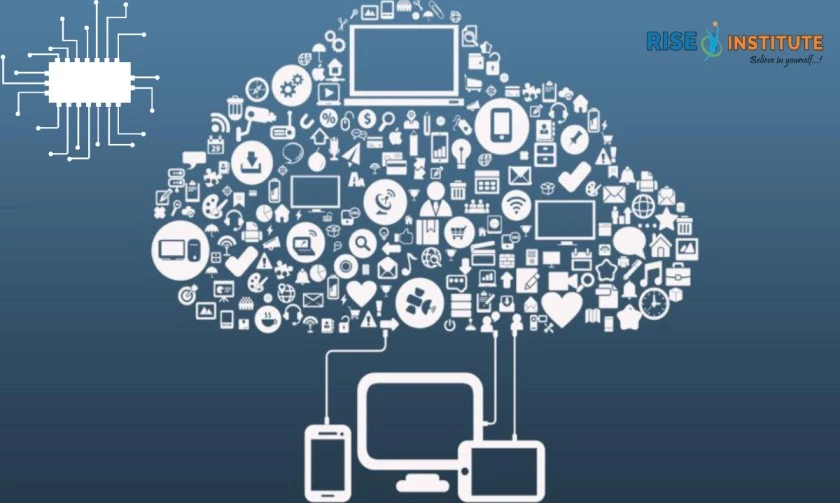
Cloud computing is a term used to describe hosting infrastructure and software applications on the Internet. Cloud providers host your application for you, giving you the freedom to manage your IT resources. This has huge benefits for organizations that must move quickly, but also have complex needs or applications that can’t run from physical servers. Well, if you are reading this article, then you are probably a website owner, web designer, or developer who could benefit significantly from using cloud services. The Idea behind Cloud Computing Cloud computing is an information technology infrastructure as a service (IaaS) model that provides computing resources and related software to customers over the Internet. Cloud computing is a trend in the IT industry, where companies can outsource their IT infrastructure and software to a service provider. This allows companies to focus on their core businesses, while the service provider manages the underlying technologies and infrastructure required to run applications and services on the cloud. The idea behind cloud computing is simple: you don’t have to worry about hardware or software infrastructure. You can access your data anywhere, anytime from any device with an Internet connection. You pay only for what you use, which means there are no up-front costs associated with setting up a cloud environment. The Purpose of Cloud Computing Cloud computing is a model for enabling ubiquitous, convenient, on-demand network access to a shared pool of configurable computing resources (e.g., networks, servers and storage, applications, and services) that can be rapidly provisioned and released with minimal management effort or service provider interaction. Cloud computing is a type of Internet-based computing that provides shared computer processing resources and data to computers and other devices on demand. The purpose of cloud computing is to provide flexible and scalable services to users. It enables businesses to save money by tapping into the power of the Internet instead of buying their own hardware. Characteristics of Cloud Computing Cloud computing is an emerging technology that provides a model for accessing, deploying and managing applications over a network of shared resources. The cloud is not entirely new, but it has been used in multiple ways by different organizations to meet their specific goals. The following are the characteristics of cloud computing: Cloud computing allows multiple users to access data simultaneously and use it as they wish while eliminating the need to purchase additional hardware or software. It offers disaster recovery capabilities because all data resides on a network that can be updated simultaneously. It provides 24/7 availability so users can access the cloud at any time without having to wait until business hours or purchase additional hardware or software. It allows users to scale their resources as needed at any time without having to purchase additional hardware or software. Cloud Services for People and Businesses Cloud computing is the delivery of IT infrastructure, applications and other services to end users through internet-connected devices, such as smartphones and laptops. It provides a more efficient way to deliver resources than on-premises hardware and software. Cloud computing allows organizations to access applications and data from any location, without having to purchase or maintain their own IT infrastructure. This allows cloud providers to scale up and down as demand requires. The Cloud services offered by companies such as Google, Microsoft, Amazon and IBM are referred to as SaaS (software as a service). SaaS offers a hosted solution for users in which they don’t have to install software on their own servers to access the app or service. The customer pays for this service monthly or annually. Cloud infrastructure is an alternative to traditional on-premises IT architecture where companies can rent computing resources from third party providers instead of buying them outright. Cloud infrastructure enables businesses to speed up their applications without paying for expensive hardware upfront costs or maintenance contracts which would otherwise be required if they were using their own equipment. It is good to understand cloud computing because it is becoming more popular. Cloud computing is a model for enabling convenient, on-demand network access to a shared pool of configurable computing resources (e.g., networks, servers, storage, applications, and services) that can be rapidly provisioned and released with minimal management effort or service provider interaction. This cloud model is composed of cloud computing providers (also known as cloud vendors) delivering compute and storage resources to clients via the internet as a service. It is good to understand cloud computing because it is becoming more popular. The definition above says it is “on demand”. This means that you send a request to the cloud service provider and they then provide the needed resources according to your needs. You pay them (usually monthly) for this service. This can save you money compared to buying your own hardware and paying for its maintenance. Your data will remain safe in the cloud while you are away from home or traveling abroad. Click here to learn more

Why Cloud and What is Cloud Computing? Read More »

Learn Data Science Programming With ETL Development

Learn Data Science Programming With ETL Development

Introduction When it comes to data science, ETL development is one of the most important tools you can learn. ETL, stands for Extract, Transform, and Load, is a process used to move data between systems. It is a critical part of data preparation, and it is essential for any data scientist or analyst.If you are new to ETL development, do not worry – we will walk you through everything you need to know. In this article, we will discuss what ETL development is, the different types of ETL tools, and how to get started with ETL programming. We will also provide a few tips for mastering this essential skill. So, whether you are just starting out in data science or you’re looking for a better way to prepare your data, ETL development is a skill you won’t want to miss. What Is ETL Development? ETL stands for Extract, Transform and Load. And that’s exactly what ETL Development is all about helping you extract data from various sources, transform it into the format you need, and then loading it into your data warehouse or database.ETL Development is a process that can be used for data cleansing, data migration, data consolidation, and more. It is a great way to get your data ready for analysis, and it’s a skill that’s in high demand in the world of data science. What Are the Benefits of Learning ETL Development? So, what are the benefits of learning ETL Development? There are plenty, but let us focus on three key ones.First, ETL Development is a great way to learn how to code. It is one of the most important skills you can have in today’s economy. And with ETL Development, you will learn how to code in Python, which is a language that is growing in popularity.Second, ETL Development is a great way to learn data science. As we move more and more into the age of big data, data science is becoming an increasingly important skill set. And with ETL Development, you will learn how to collect, clean, and analyze data using Python.Finally, ETL Development is a great way to get started in the field of data engineering. Data engineering is one of the hottest fields in tech right now, and it is only going to grow in importance in the years to come. And with ETL Development, you will learn the skills you need to start your career in data engineering. How Can I Learn ETL Development? So you want to learn ETL Development? Excellent choice! ETL Development is a critical skill for any data scientist.But where do you start? There are lots of ways to learn ETL Development, but my personal favorite is to watch video tutorials. There are lots of great ones out there, but I recommend checking out Data Camp or Coursera.Both of these platforms offer affordable video courses that will teach you everything you need to know about ETL Development. They are also a great way to meet other data scientists and learn from their experiences. What Programming Languages Are Used in ETL Development? So you want to learn ETL development? Excellent choice! But before you get started, you need to know which programming languages are used in ETL.The most popular language for ETL development is Python, followed by Java and C++. But there are a number of other languages that can be used, including R, SQL, and MATLAB.It really depends on your specific needs and preferences. But no matter which language you choose, make sure you have a strong foundation in data structures and algorithms. That’s key to success in ETL development. What Software Do I Need to Use ETL Development? The beauty of ETL Development is that it’s a cross-platform language that can be run on Windows, Mac, and Linux. So what software do you need to use it?For Windows, you’ll need Microsoft Visual Studio 2015 or later. If you’re on a Mac, you’ll need Xamarin Studio or later, and for Linux, you’ll need MonoDevelop 5.0 or later. How Can I Get Started With Developing My Own Applications? So you’re interested in learning ETL development? The great thing about this programming language is that it’s versatile and easy to learn. Here are a few ways you can get started:First, find an online course or tutorial that covers the basics of ETL. This will give you a solid foundation to work from.Second, practice, practice, practice. The more you use ETL, the better you’ll become at it. There’s no substitute for hands-on experience.Finally, don’t be afraid to ask for help. There are plenty of people out there who are happy to share their expertise and help you learn ETL development. So don’t hesitate to reach out if you need assistance. Conclusion ETL Development is a great way to learn Data Science Programming. ETL Development is an online course that teaches you how to code and how to use data science programming to make insights from data. The course is designed for beginners, so you don’t need any prior programming experience.The course is self-paced, so you can learn at your own pace. You also get access to a community of students and professionals who can help you with your learning journey.If you want to learn Data Science Programming, then ETL Development is the course for you. Click to learn ETL Development

Learn Data Science Programming With ETL Development Read More »

[contact-form-7 id="d95d443" title="Rise Contact Form"]